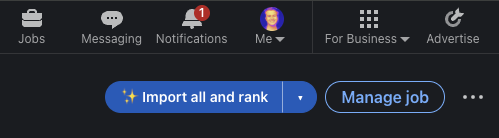
LinkedIn AI screening extension for Chrome and Firefox
Install our LinkedIn AI candidate screening extension from the Chrome Web Store, or use the Firefox ZIP for a temporary add-on.
Install Resume Screening AI from the Chrome Web Store. Chrome keeps the extension updated automatically. Firefox users can install the temporary add-on from the ZIP below.
LinkedIn AI candidate screening extension#
Resume Screening AI is a LinkedIn AI candidate screening extension for recruiters who want to compare applicants with a job description without leaving LinkedIn Hiring. It imports the role and candidates only when you trigger an action, then displays match scores and concise fit explanations inside the hiring workflow. If you searched for a "LinkedIn AI candidate screening extention," this is the browser tool designed for that use case; the standard spelling is "extension."
Install the extension and sign in to link it with your Resume Screening AI workspace. Open a LinkedIn Hiring job and use the controls added directly to the hiring interface:
- Import saves the job title and description from a LinkedIn job detail page.
- Import all and rank imports applicants across the entire LinkedIn applicant list, including lists with more than 25 people, ranks each applicant against the job, and saves the results to your workspace.
- Import without ranking saves the applicants so you can rank them later.
- Rank scores one unranked applicant when you do not need to process the full list.
Scores appear beside applicants in the list. Opening a scored applicant shows the match percentage, ranking explanation, and a link to the job in Resume Screening AI. Applicants already saved in your workspace are reused without charging another ranking credit. If your credits run out during a bulk import, the remaining applicants are still imported so you can use Rank remaining later.
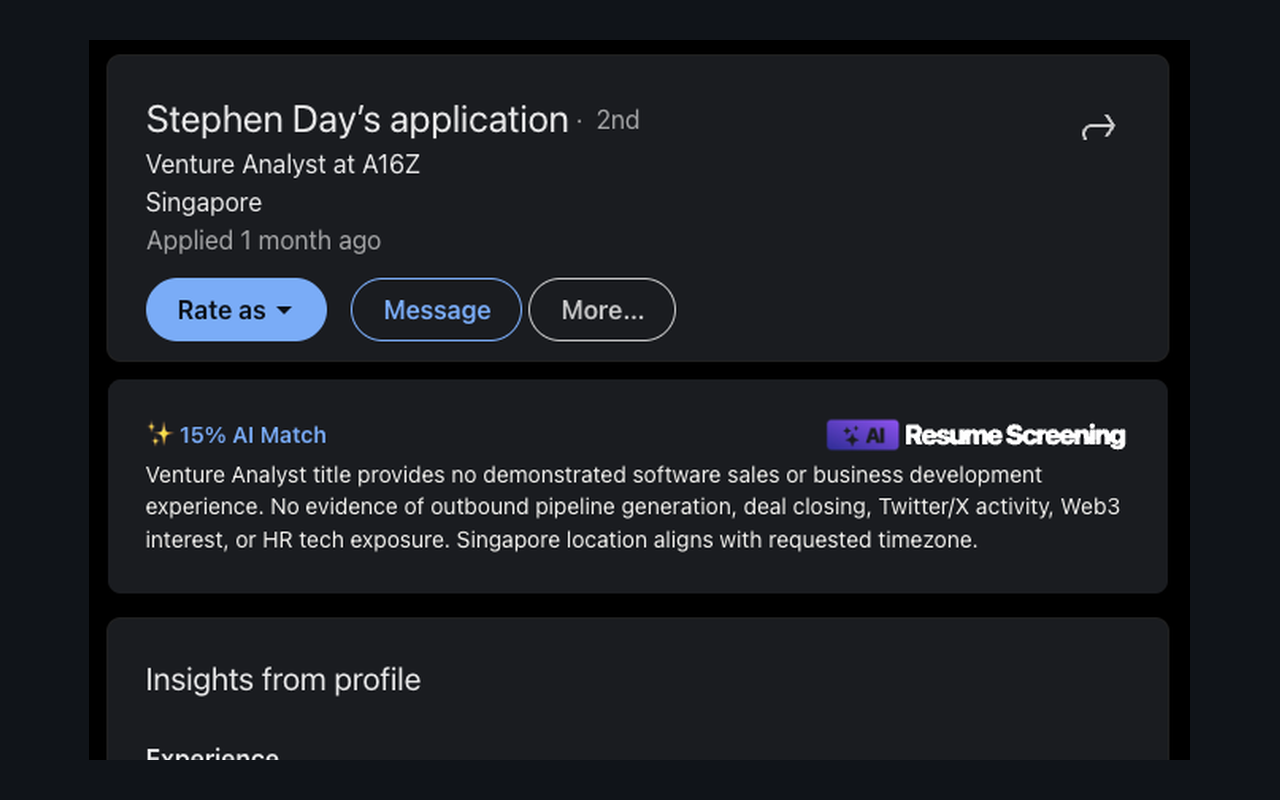
Review the AI match percentage and screening explanation while staying in LinkedIn Hiring.
Supported pages and board requests#
The Chrome and Firefox packages support ranking on LinkedIn Hiring pages (/hiring/jobs/...). They do not rank LinkedIn people search, public profiles, random name links, or unrelated LinkedIn pages. Indeed and other job boards are not currently supported for in-page ranking.
When you are on another job board, open the extension and click Request this job board. The request includes the page URL, a sanitized HTML snapshot, and an optional screenshot so we can evaluate and add support. Requesting a board does not rank candidates on that unsupported page.
Install the extension#
- Open Resume Screening AI in the Chrome Web Store. Choose Add to Chrome.
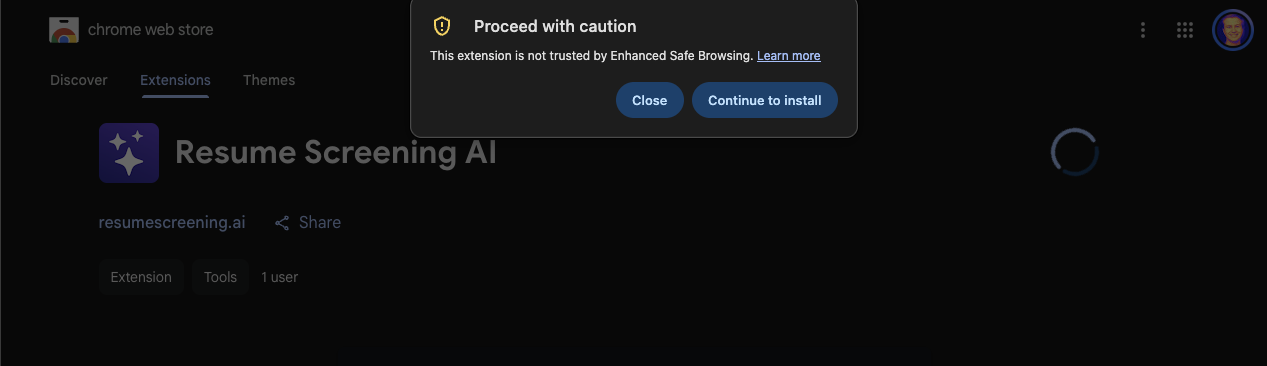
- Chrome may temporarily show a caution notice because the Chrome Web Store publisher is new. Google says new, policy-compliant developers generally need a few months to earn Enhanced Safe Browsing trust. This is not a malware finding or a Chrome Web Store rejection. Keep Enhanced Protection enabled and choose Continue to install if you have reviewed and trust the extension. Read Google's explanation.
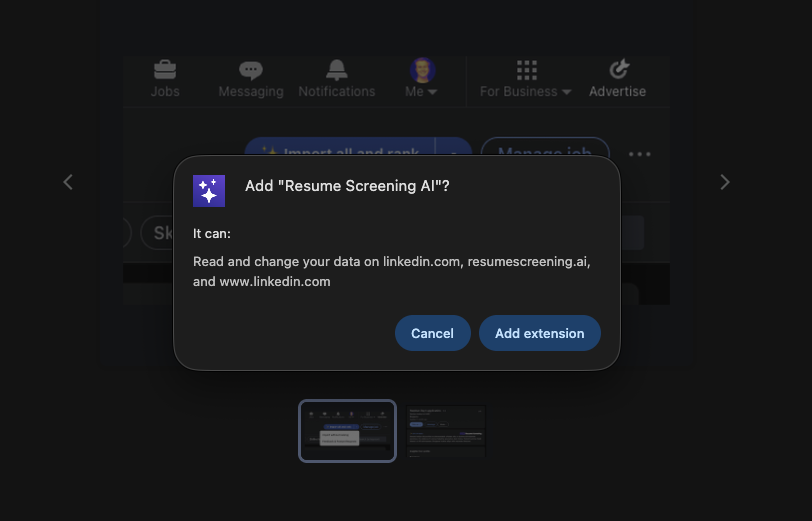
- Chrome then shows the normal permissions confirmation. Review the requested permissions and choose Add extension.
- Open Chrome's Extensions menu and pin Resume Screening AI for easy access.
- Click the extension, sign in to link your workspace, and open a LinkedIn Hiring job.
Install temporarily in Firefox#
- Download the Firefox ZIP. You do not need to extract it.
- Enter
about:debuggingin the Firefox address bar. - Select This Firefox.
- Click Load Temporary Add-on.
- Select the downloaded Firefox ZIP.
- Open the extension and sign in to link your workspace.
- If the connection page displays a one-time token, copy it and paste it into the extension popup.
- Open a LinkedIn Hiring job and start importing applicants.
Firefox removes a temporary add-on when the browser restarts. Repeat these steps after restarting Firefox. Permanent Firefox installation requires a package signed by Mozilla.
Need help? Email [email protected].